The problem
Every home automation project starts the same way: something in the house refuses to talk to Home Assistant, and someone at CookieBytes decides that’s unacceptable.
This time it was the MOVA MeowgicPod LR10 Prime — the self-cleaning litter box that Rocky and Peggy have claimed as their personal throne in the office. It’s a genuinely clever piece of hardware. It just doesn’t have an official Home Assistant integration, and it only talks to the world through MOVA’s own cloud and the MOVAhome app. No local API, no MQTT, no public documentation, nothing to point Home Assistant at.
So Billy — Chief Disruption Officer, three pivots and two rebrands deep — went and built one anyway: homeassistant-mova-litter-box, a custom integration for the MeowgicPod (mova.litterbox.q2504w). This post is the devlog: how the cloud protocol actually works, how we guessed our way to the undocumented action IDs, and what shipped across four releases in the space of two days. There will be more posts as the roadmap below gets checked off — this one isn’t close to finished.
How it actually talks to the box
MOVA is a Dreame sub-brand, and the MeowgicPod rides Dreame’s IoT cloud rather than anything local — the app and the box never talk directly on the LAN. Every request goes to https://eu.iot.mova-tech.com:13267, the exact same host and API surface the MOVAhome iPhone app uses; our client just impersonates that app (same user-agent string, same basic-auth token) rather than talking to the box directly.
Logging in is an OAuth-style password grant: the password gets MD5-hashed with a fixed salt, POSTed to /dreame-auth/oauth/token, and the cloud hands back an access token plus a refresh token so we’re not re-authenticating on every poll.
Reading and writing state follows the MIoT convention Xiaomi-ecosystem devices use — every capability is addressed as siid.piid (service ID, property ID) rather than named fields. Status is 2.1, firmware build is 1.4, cleaning mode lives on service 3, and so on. Three request shapes cover everything, all sent through one endpoint, /device/sendCommand:
| Intent | method | shape |
|---|---|---|
| Read a value | get_properties |
[{did, siid, piid}, ...] |
| Write a value | set_properties |
[{did, siid, piid, value}, ...] |
| Trigger a cycle | action |
{did, siid, aiid, in: [...]} |
That’s the whole surface: polling is a get_properties sweep every 60 seconds, flipping a switch in Home Assistant is a set_properties call, and pressing “Start cleaning” is an action call with a service ID and an action ID (aiid). Simple, once you know the shape — and we only knew the shape because of EvotecIT/homeassistant-dreamelawnmower, a Home Assistant integration for a Dreame lawnmower on the same cloud. Its client code is what told us the protocol existed and roughly how to speak it. What it couldn’t tell us was which numbers meant what for a litter box — that part was ours to figure out.
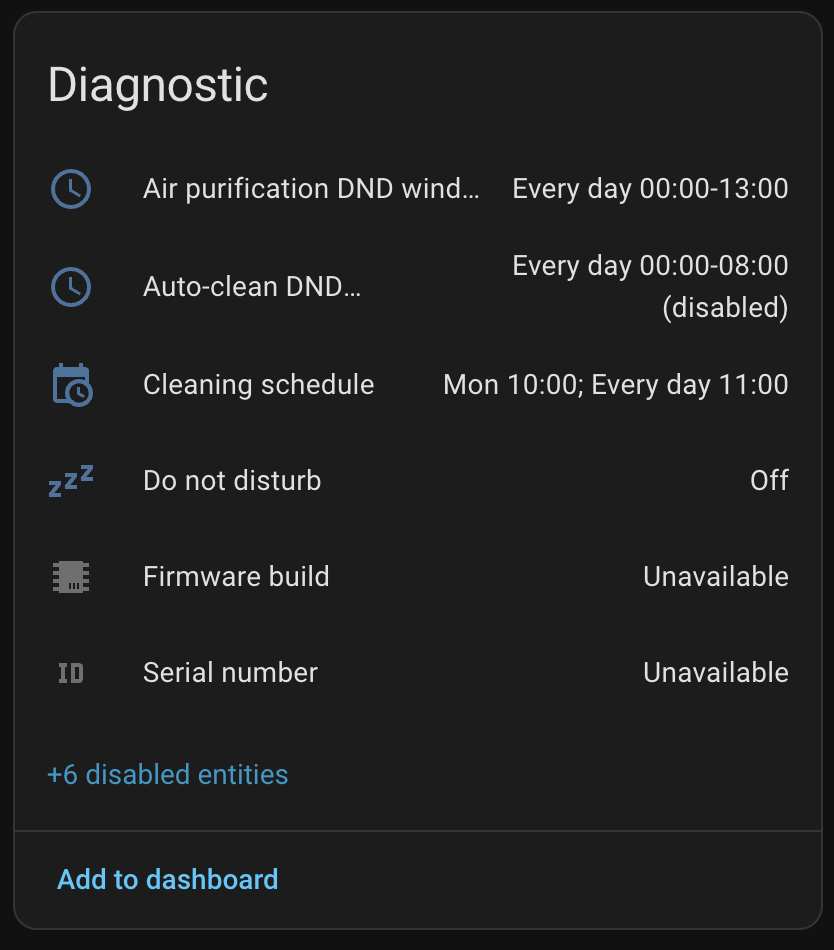
Every property the cloud reports gets a home in Home Assistant, mapped or not — the ones we haven’t decoded yet still show up as raw diagnostic sensors instead of silently vanishing:
The part with no documentation: finding the action IDs
Reading state was the easy half. The box happily answers get_properties for anything on services 1–3, so the status enum, sensors, and settings all fell out of a property sweep fairly quickly. But triggering a cycle — Start cleaning, Empty waste, Level litter — needs an action call, and actions are invisible to a property sweep. There was no list of them anywhere. MOVA doesn’t publish one, and the cloud API isn’t reachable from CI to just try things automatically.
So we wrote it up as a research problem before touching real hardware — ACTIONS_RESEARCH.md in the repo, in full. The short version:
The lawnmower reference client had an explicit action map — START_MOWING = siid 5, aiid 1, STOP = siid 5, aiid 2, DOCK = siid 5, aiid 3, and so on, all clustered as low numbers on one dedicated service. That gave us a structural hypothesis rather than a lucky guess: cycles are triggered by calling an action, never by writing to the read-only status property, and the action IDs for related behaviours tend to cluster together on whichever service owns them. Two competing theories followed — actions co-located on the status service (2), or split onto their own dedicated service the way the mower does it (4 or 5) — and we ranked candidate siid/aiid pairs for each cycle by confidence before testing anything.
tools/mova_probe.py --action siid aiid fires the call and prints the resulting status transition — if 2.1 moves the way the hypothesis predicted, the guess was right.Reality split the difference: it wasn’t the leading hypothesis. The clean/empty/level/pause/resume/stop actions turned out to live on service 3 — the settings service, not the status service or a dedicated action service either. Good reminder that a well-reasoned guess is still a guess; you confirm it on real hardware or you don’t ship it. All six actions are now confirmed and verified by the actual status transition they produce, which is why the buttons work reliably across every cycle type instead of “probably.”
From v0.1.0 to v0.4.0, in two days
Once the transport and the property map existed, the rest moved fast. Full detail is in the CHANGELOG; the shape of it:
v0.1.0 — first release. Cloud client with login and token refresh, config flow (sign in with your MOVAhome account, pick your device), the full status enum, binary sensors, switches, selects, and diagnostic sensors for every property the cloud reports — 27 entities from one device. No action buttons yet; those needed the research above.
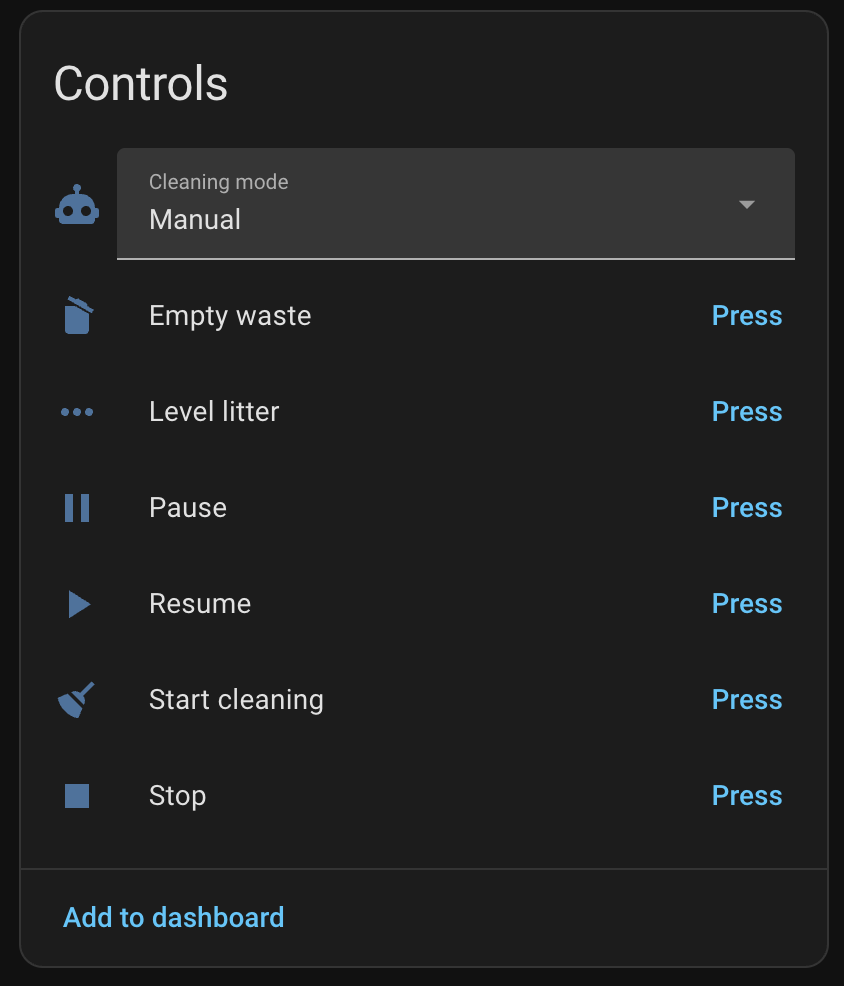
v0.2.0 — full device control. Start cleaning, Empty waste, Level litter, Pause, Resume, and Stop, all confirmed against real hardware on service 3. Plus three generic control services (send_action, set_property, refresh) for poking at anything directly from Home Assistant — handy for exactly this kind of reverse engineering.
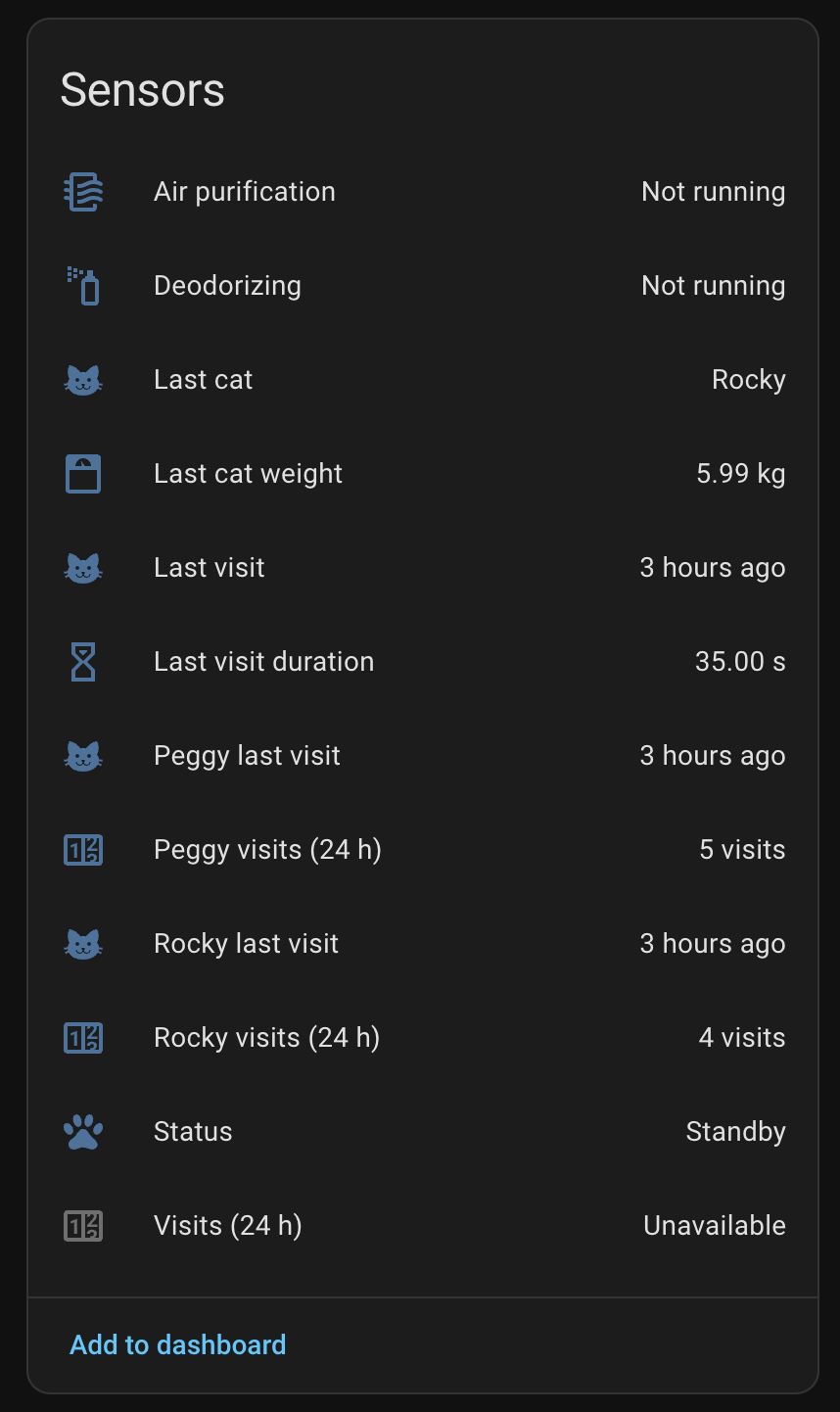
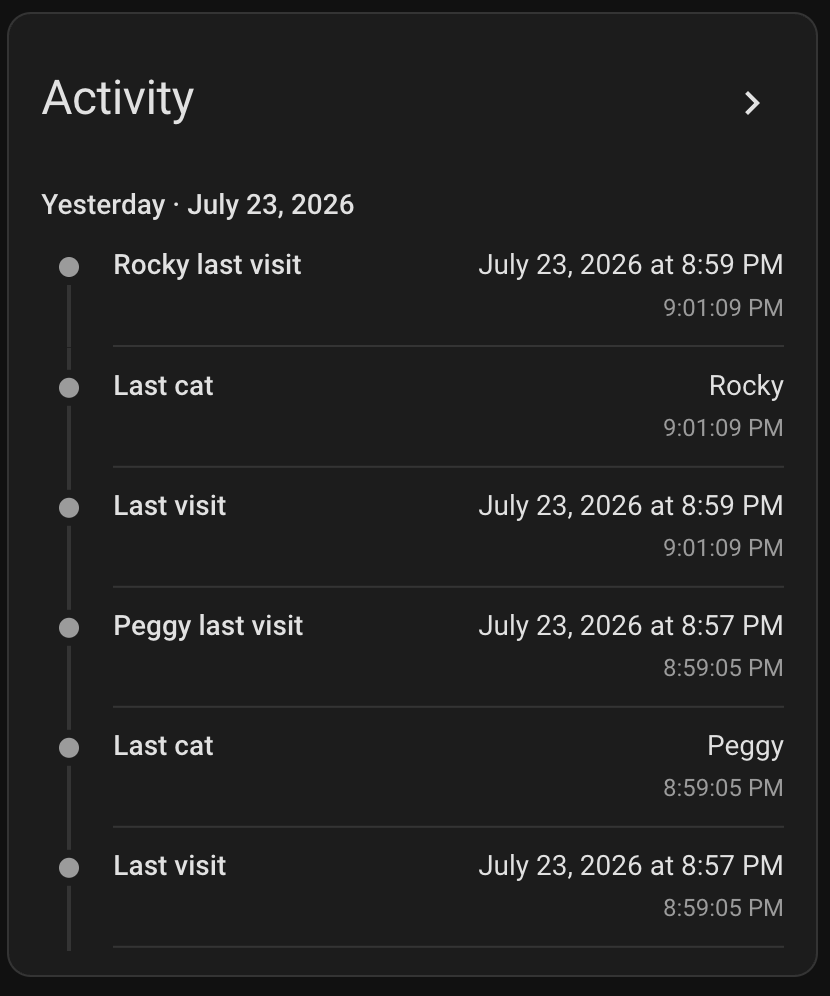
v0.3.0 — meet the cats. The device logs toilet visits internally; this release decodes that event log into Last cat weight, Last visit time, visit duration, and a 24-hour visit count. You can name your cats and set their typical weight in the integration’s options, and visits get attributed to the closest matching weight — so Rocky’s visits and Peggy’s visits show up separately instead of as one undifferentiated “a cat happened” sensor.
v0.3.1 — brand icon.

A proper full-bleed app icon, trimmed to spec and submitted to home-assistant/brands — the shared repo that supplies the little logos you see next to every integration in the HA and HACS UI. It won’t actually show up there until that PR merges, since the icon is served off the central brands CDN rather than bundled with the integration itself.
v0.4.0 — smoothing control. The MeowgicPod can offset how it smooths litter after a cycle — centered, or nudged left/right by three different amounts, seven positions total. All seven confirmed against the real device (property 3.21), exposed as a select entity, and changing it triggers the same re-levelling cycle the app does.
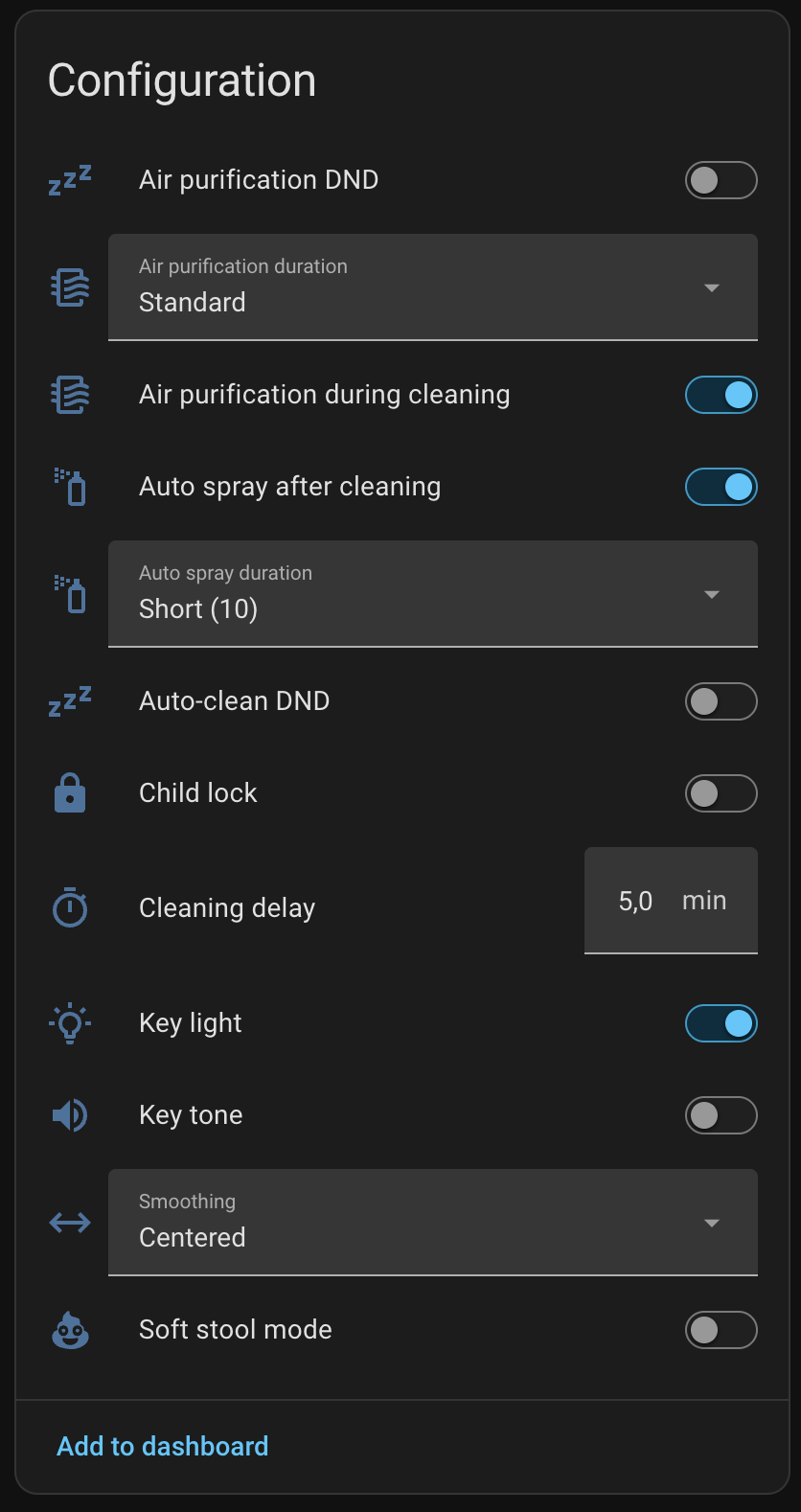
That also quietly closed one of the open questions from day one: 3.21 was one of five unmapped properties on the original roadmap. It’s identified now — down to four left.
Roadmap ahead
Four releases in, the roadmap still has real items on it:
- Consumables — remaining life and reset actions for the air purification filter, deodorizing liquid, and waste bag. Planned.
- Firmware updates — surface the firmware-upgrade check as a proper Home Assistant
updateentity instead of a static version sensor. Planned. - Weight unit switch — kg/lb toggle to match whatever the app is set to. Planned.
- The last unmapped properties —
2.2,2.6,3.2, and3.12are still unidentified and only show up as raw diagnostic sensors. Currently investigating. - Litter level and waste bin state — genuinely useful sensors we don’t have yet, blocked on finding where the device reports them.
- Push updates over MQTT — replacing the 60-second poll with something that reacts instantly. Still just an idea at this point.
If you run a MOVA MeowgicPod yourself and want to help close any of those, the repo ships a read-only probe tool (tools/mova_probe.py, plus a --watch mode that logs live changes while you use the app) — running it and opening an issue with the output is genuinely useful to us.
Try it
The integration installs through HACS as a custom repository — full instructions, including one-click HACS/config-flow buttons, are in the README. Sign in with your MOVAhome account, pick your device, and it starts reporting.

It’s still early — four releases in two days is a sprint, not a finish line — and that’s the point of shipping as we go instead of waiting for it to be “done.” Not affiliated with MOVA or Dreame, use at your own risk, and there’s more of this series coming as the roadmap above gets worked through.
Got a device that refuses to play nice with Home Assistant? We do installs and integrations — litter boxes included, apparently.